Logo3D Camera Control
  • How It Works
  • Features
  • Use Cases
  • FAQ
Powered by Qwen AI

AI 3D Camera Control

Upload one photo, choose a camera angle, and generate the same subject from the front, side, back, or top.

No sign-up
Free
45°
FrontRight SideBackLeft Side
0°
Low AngleEye LevelElevatedHigh AngleBird's-Eye
5.0
Wide ShotMedium ShotClose-Up

Your generated result will appear here

45°

Horizontal

0°

Vertical

5.0

Distance

Features

Why 3D Camera Control Works

3D Camera Control is built to move the camera around your subject while keeping the subject consistent. No drift, no re-prompting, no guesswork.

3-Axis Control

Three sliders give you independent control over horizontal rotation, vertical elevation, and distance, so you can reach the viewpoint you want with real precision.

Consistent Identity

Yes. The face, outfit, product details, and style stay recognizable across angles. Only the viewpoint changes.

Production Output

Yes. You get clean PNG exports ready for character design sheets, e-commerce product pages, AI video reference frames, and client deliverables.

Fast Iteration

Yes. Pick an angle, generate, then move to the next one without re-prompting, starting over, or losing subject consistency.

3D Camera Control interface for adjusting image angle and camera position

Use Cases

Who Uses 3D Camera Control?

3D Camera Control fits any workflow that needs more than one viewpoint without wasting hours on re-prompting.

Character & Concept Artists

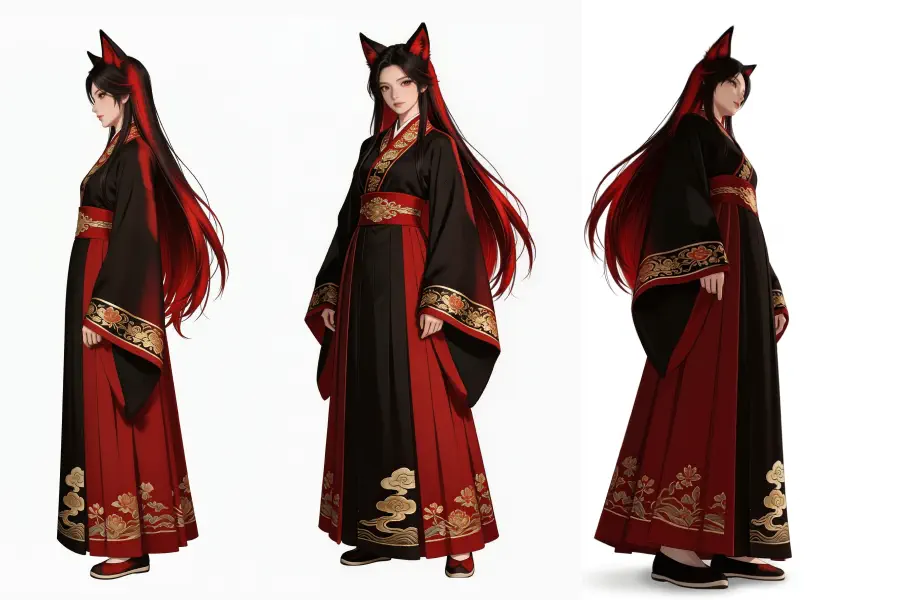
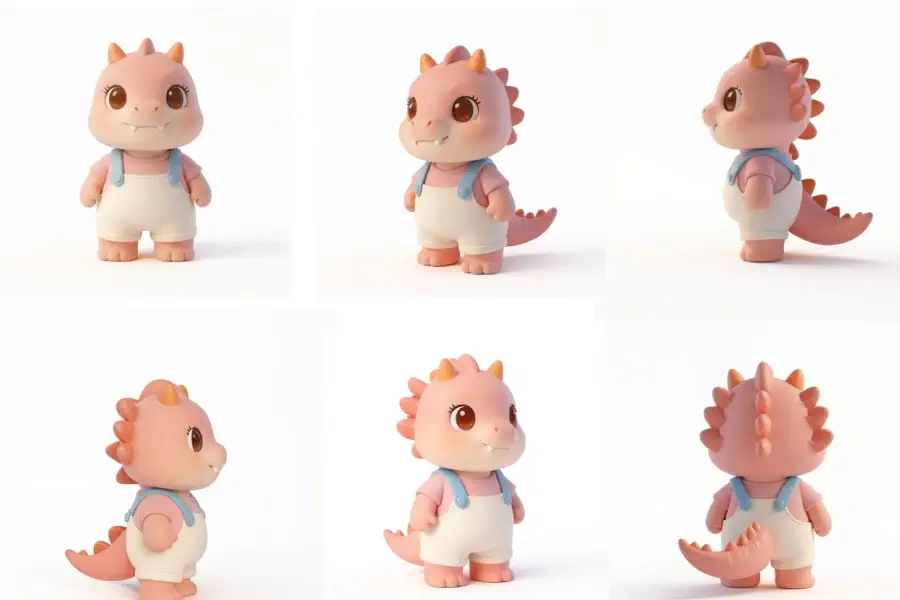
3D Camera Control turns one strong character render into a multi-view reference with front, side, back, and 3/4 views without re-prompting or risking identity drift. It fits manga, animation prep, game asset pipelines, and original character design.

“I had one great character render. My full turnaround sheet took 2 minutes.”
Try It Now
3D Camera Control use case for character artists creating turnaround references

E-Commerce & Product Creators

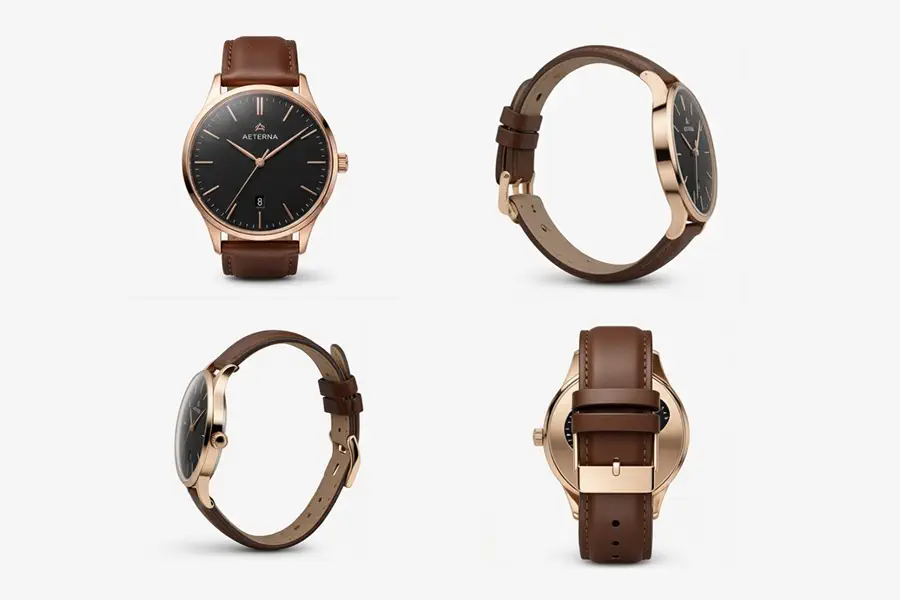
Start with one clean product shot and generate a full gallery with front view, 3/4 angle, top-down detail, and lifestyle perspective. You cut photography time and give shoppers the multi-angle coverage they expect.

“Re-shooting every product from different angles used to cost us half a day. Now it's a 5-minute task.”

Try It Now
3D Camera Control use case for e-commerce product multi-angle image generation

AI Video Creators

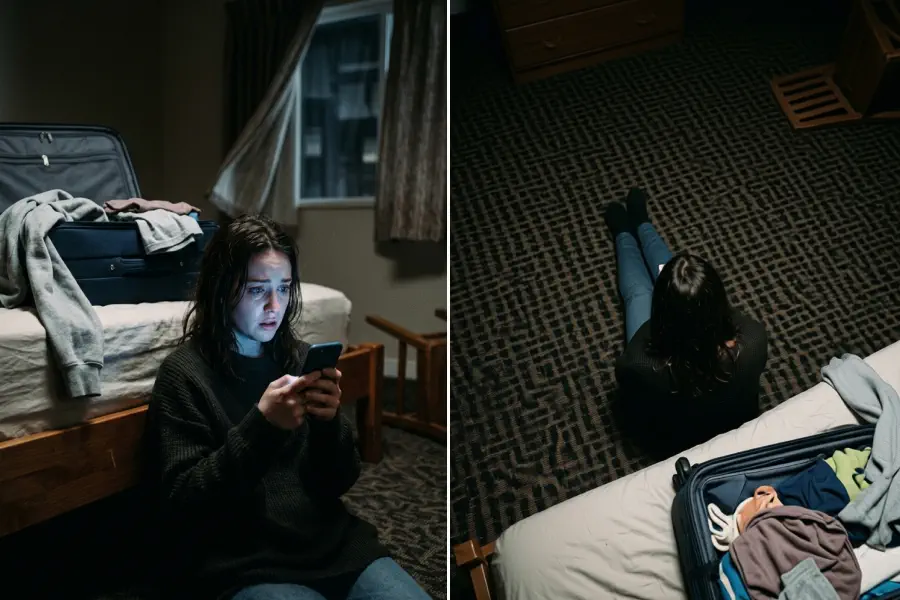
Before you send an image to Kling, Runway, Veo, or another image-to-video model, you can generate the exact viewpoint you need. That gives you more control over camera movement and subject continuity across clips.

“Image-to-video is only as good as your reference frames. Now I have the right angle before I start.”

Try It Now
3D Camera Control use case for AI video reference frame preparation

Generative Explorers & Prompt Builders

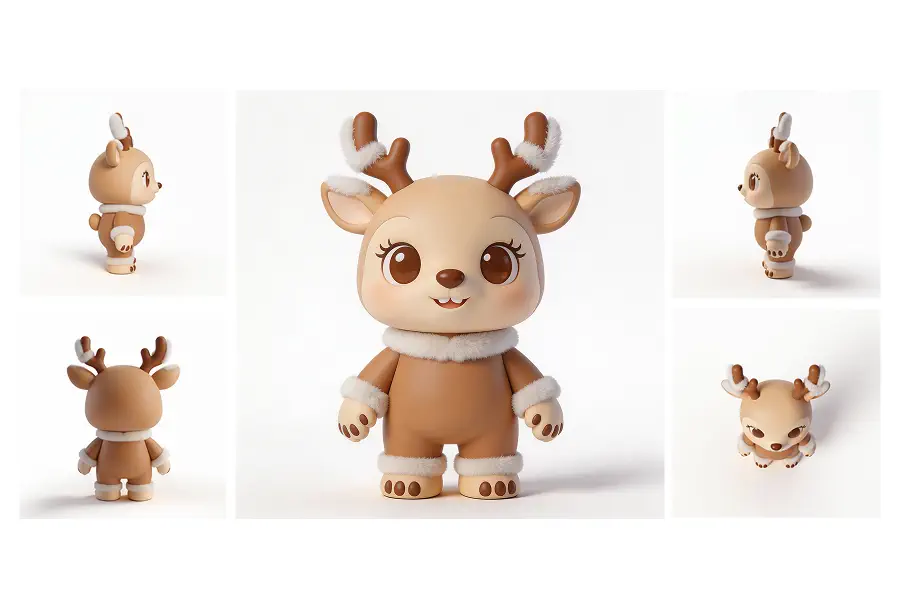
3D Camera Control lets you extend one strong result into new angles, compositions, and viewpoints while staying anchored to the original subject. One image becomes a larger asset set.

“I finally got a result I loved. 3D Camera Control let me explore it further without starting over.”

Try It Now
3D Camera Control use case for exploring new image variations from one reference

Works on Everything

What Can You Use 3D Camera Control For?

3D Camera Control works for character sheets, product galleries, and AI video prep without setup or subscriptions. Upload an image, pick an angle, and generate.

  • Character turnaround sheets
  • Product multi-angle galleries
  • AI video reference frames
  • Scene and environment views
3D Camera Control use cases for characters, products, and scene images

How It Works

How 3D Camera Control Works

Upload your reference, set the camera, and repeat until your multi-angle set is complete.

1
Step 1

Upload Your Reference Image

Upload any photo: a character, product, scene, or person. It becomes the reference that stays consistent across every angle. No special format required.

2
Step 2

Set the Camera Angle

Use three independent sliders for horizontal rotation, vertical elevation, and distance. You set the exact viewpoint instead of choosing from a preset grid.

3
Step 3

Download Your Output

Download each generated angle as a PNG and use it in character sheets, product listings, video pipelines, or other creative workflows. Generate as many angles as you need. Batch export is coming soon.

In Numbers

3D Camera Control at a Glance

Fast generation, full horizontal range, and precise 3-axis control for consistent multi-angle views.

Per Generation
~30s
Horizontal Viewpoint Range
270°
Independent Control Axes
3

FAQ

Common questions about 3D Camera Control

What types of images does 3D Camera Control work on?

3D Camera Control works on characters, people, products, objects, and scenes. Clear, detailed reference images preserve subject details better across angles. JPEG, PNG, and WebP files up to 10MB are supported.

How is this different from just re-prompting in Midjourney or ChatGPT?

General image generators do not guarantee subject consistency between generations, so each prompt is a new roll of the dice. 3D Camera Control is built for consistent viewpoint changes: the subject stays the same while the camera angle changes.

Will my subject look the same across all camera angles?

In most cases, yes. Identity, style, and key details stay consistent across standard angles. Extreme rotations on very complex subjects may vary slightly, but most character, product, and scene outputs are production-ready without extra editing.

Is 3D Camera Control really free? Do I need to sign up?

Yes. 3D Camera Control is free to use and does not require an account. Upload your image, choose the camera angle, and generate with no credit card, registration, or waitlist.

Are my uploaded images stored or used to train AI models?

Your images are used only to generate the outputs you request and are not used for model training. Uploaded files are deleted from our servers within 24 hours of your session. See our Privacy Policy for full details.

How do I control the camera angle?

Use three independent sliders: horizontal rotation (azimuth), vertical elevation, and distance. You can combine all three to place the camera exactly where you want it, without working around a preset grid.

Can I use the outputs in commercial projects?

Yes. You can use generated images in commercial work, including e-commerce listings, game assets, marketing materials, AI video production, and client deliverables. See our Terms of Service for full details.

What makes this better than other AI multi-angle image tools?

Three things: subject identity holds across angles with no drift, you get precise 3-axis slider control instead of vague prompts or random variation, and there is no sign-up friction. Powered by Qwen AI, 3D Camera Control is built for viewpoint-consistent image generation.

Generate any camera angle from your image

Upload your reference photo, set the camera with three sliders for horizontal rotation, vertical elevation, and distance, then generate. The subject stays the same. Only the angle changes.

Try It Free
Logo3D Camera Control

Generate consistent multi-angle views from a single reference image.

3D Camera Control
  • Try the Tool
  • How It Works
  • Features
  • Use Cases
  • FAQ
Legal
  • Privacy Policy
  • Terms of Service
© 2026 3D Camera Control. All Rights Reserved.